Add Page Numbers to a PDF: Cover Pages, Start Numbers, and Placement
Page numbers make a PDF easier to review, print, cite, and file. If you are sending a contract packet, class notes, a report, or a scanned bundle, adding page numbers before sharing can save everyone from "which page are you on?" confusion.
OnePDFs gives you those controls in one panel: position, format, starting number, page range, font, and color. The main thing to decide is whether the cover should stay unnumbered and whether the first body page should start at 1.
Before You Add Page Numbers
Check the page order first. If pages are missing, rotated, or out of order, fix that with PDF Page Organizer before numbering. Page numbers are easiest to verify when the document is already in its final order.
If you need to number several PDFs the same way, use Batch Page Numbers instead of repeating the setup for each file.
How to Add Page Numbers to a PDF
Open Add Page Numbers to PDF, then upload the file. The editor opens with a page number panel on the right.
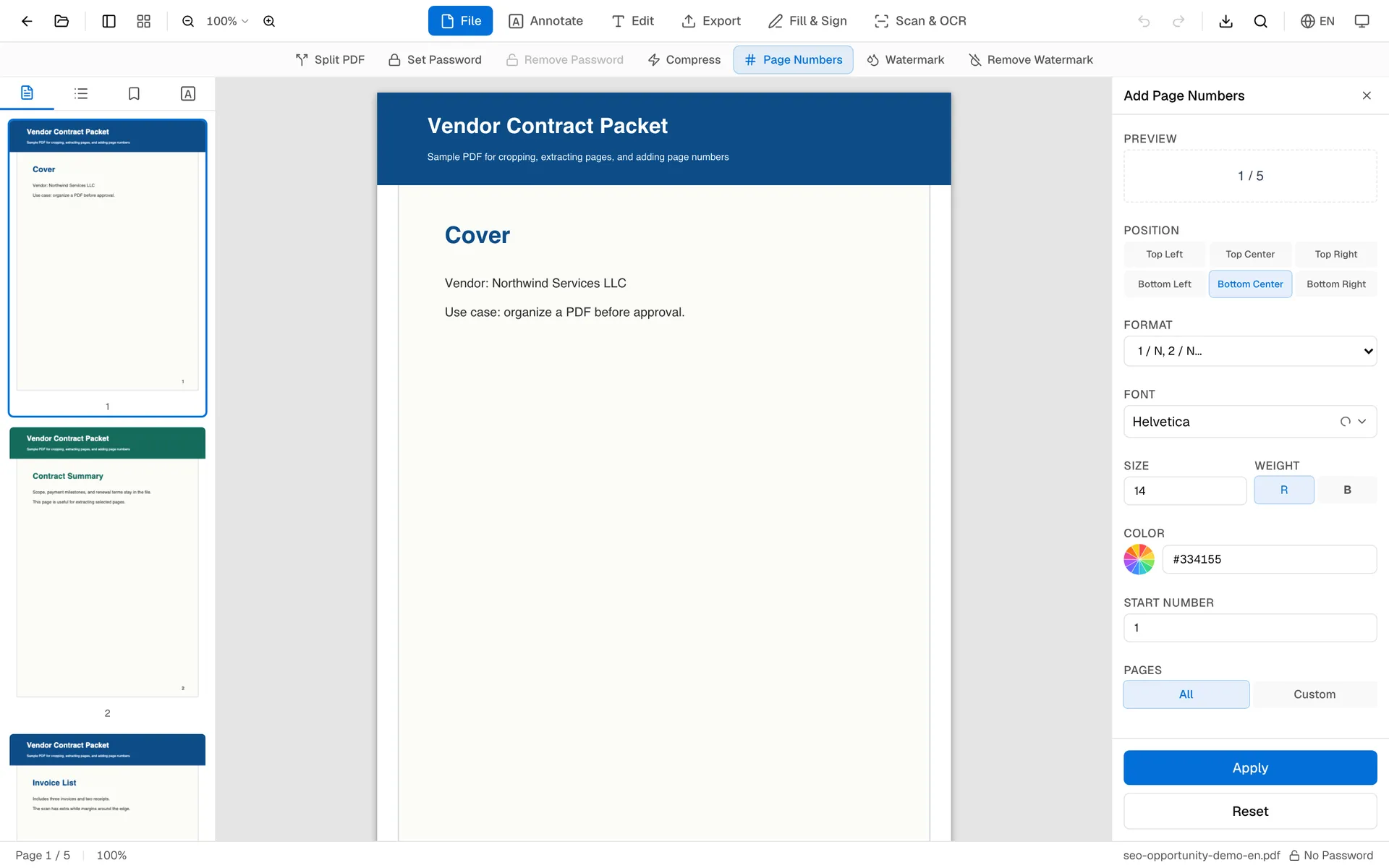
Choose a location such as bottom center or top right. Pick a format: plain number, Page N, N / Total, or a custom template. Set the starting number if the PDF begins after a cover page or belongs to a larger document.
Apply the numbers, review a few pages, then download the updated PDF.
Useful Page Number Formats
Plain numbers work well for simple handouts. Page N is clearer for contracts and reports. N / Total helps readers know how long the document is. Custom templates are useful when you need a prefix such as "Appendix A - ".
For documents with a cover page, either start numbering at 1 on page 2 by using a custom page range, or leave the cover unnumbered and number the body only.
FAQ
Should I organize pages before numbering?
You do not have to, but it is safer. If you move pages after numbering, the visible numbers can stop matching the document order.
Can I skip the cover page?
Yes. Use a custom page range so the numbering starts after the cover or table of contents.
Can I change the starting number?
Yes. Set a custom starting number when the PDF is part of a larger document set.
Can I add page numbers to multiple PDFs?
Yes. Use Batch Page Numbers when several files need the same format.
Before sending the file, check the cover, the first numbered page, and the last page. Those three spots catch most numbering mistakes.